
There are two ways to load your content into the Vuulr Marketplace, in order to create Listings for sale.
1. <15 titles: It is generally easier to load this yourself, one at a time via the platform-
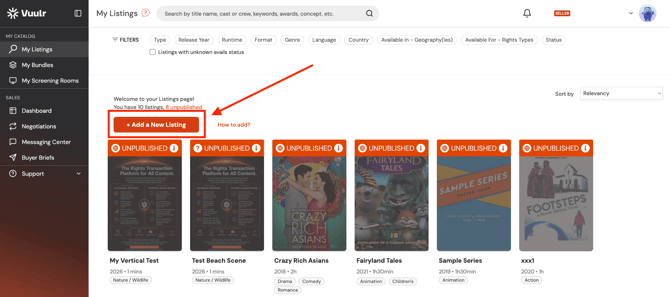
- Navigate to My Listings, then click “Add a New Listing”
2. >15 titles: either the above OR you can ask us to help bulk load
-
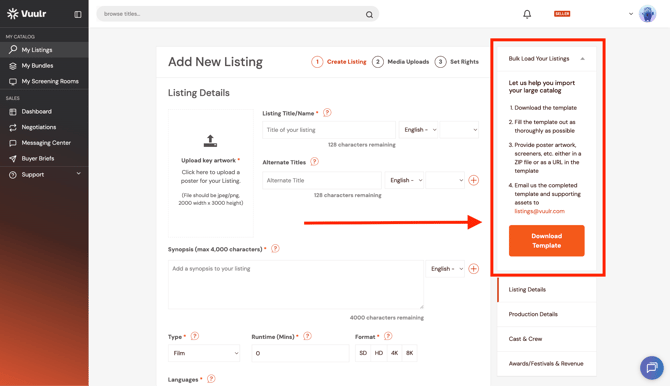
- After clicking "Add a New Listing”, click on the “Bulk Load Your Listings” drop-down button on the right hand side of your screen. From there, you can download the Bulk Listings template. Fill in the required metadata, trailer links (Vimeo) and Avails.
-
- IMPORTANT: Go to File>Make a Copy, to create your own editable version. Please email these with your poster artwork in a zip file or as a download link to listings@vuulr.com.
-
- After clicking "Add a New Listing”, click on the “Bulk Load Your Listings” drop-down button on the right hand side of your screen. From there, you can download the Bulk Listings template. Fill in the required metadata, trailer links (Vimeo) and Avails.
-
-
- If you need Support, please use the same email
-
For greater detail on what details you need to include in each Listing, see this article here.