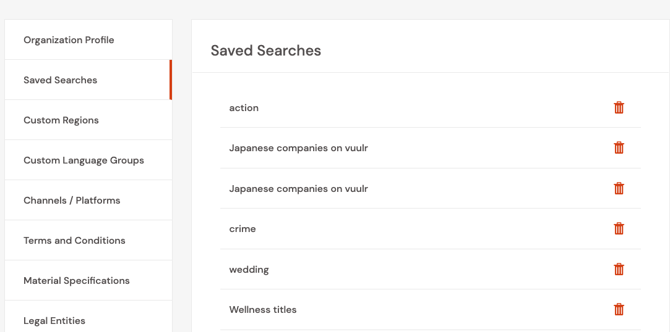
Saved searches allows Buyers to easily access specific content based on filters you or your organisation have previously applied on the Discover by Listings page.
In Discover by Listings, you can save common searches to easily find relevant content each and every time without having to set the various filters again.
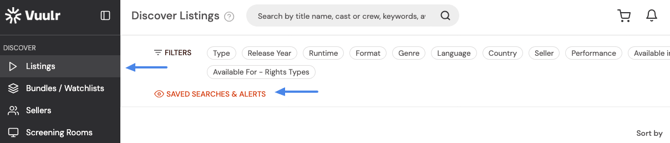
You can access your saved searches by clicking Saved Searches & Alerts. Click on the selected Saved Search, and the filters will be automatically applied.
These saved searches are shared by everyone in your organization.
To manage your Saved Searches, click on your profile and navigate to the Saved Searches option on the Settings drop down menu.
You can then delete any saved searches you no longer find relevant.