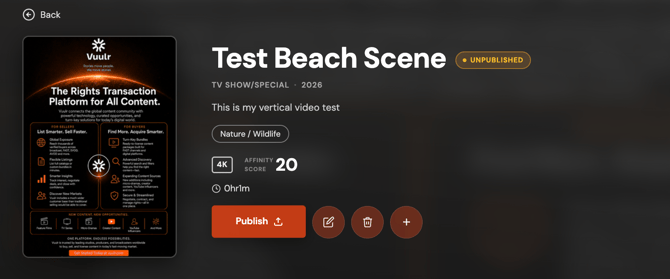
The Publish/Unpublish auction is the final step to take in order to make your listing live after you have built it.
After you've finished the 3-page Add a Listing steps (or if the Vuulr Team has supported you) each Listing is automatically set to "Unpublished", so that you can preview it before it's finally "Published" live in the Vuulr marketplace.
This function is also useful when you want to take it out of the marketplace temporarily in order to make some quick updates.
- When you login, go to My Listings in the main left menu.
- Find and click on the poster of the Listing that you would like to update (do not click any of the mouseover actions)
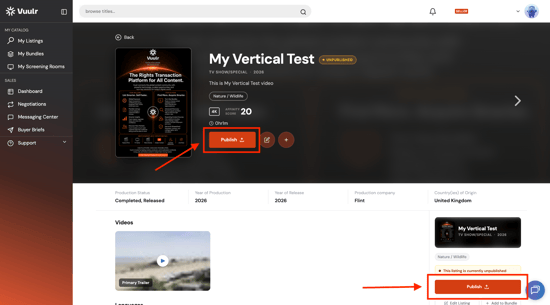
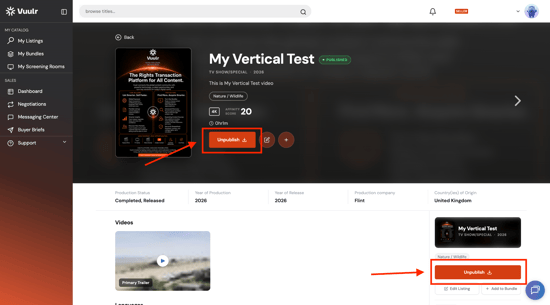
- In the following Listing preview page, locate the Publish or Unpublish button.
- To publish the listing, click Publish. This will make the Listing live in the Marketplace, and therefore available to Buyers.
- To unpublish the listing, click Unpublish instead. This will remove the Listing from the Marketplace, making it unavailable to Buyers. The Listing will remain in your My Listings for the time when you want to Publish again.
UPDATE: we have added the Delete button alongside the Publish and Unpublish button, big time saver!