
Locating the Screening Room Feature
Finding the Screening Rooms is easy. Once logged in, as a Buyer, you will see the Screening Room menu option on the left sidebar.
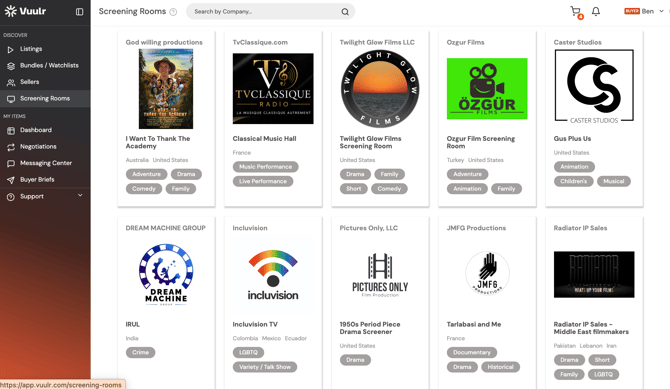
The Screening Rooms are sorted by our default order, you can also sort by alphabetical order, or the date that they were published.
Simply scroll through to check out all the Sellers' Rooms; then to enter a Room, click on its tile.
Searching for a Screening Room
1. Search By Company Name
If you have a specific seller in mind, you can type their name directly into the search bar
2. Applying Filters
(i) Some filters look for Screening Room properties themselves: Alphabet (Name of Screening Room), Country (Focus Country of the Screening Room), Seller (Owner of the Screening Room)
(ii) Other filters are generated based on the Screening Room's Listing properties, ie which Listings are within the Rooms: Type, Release Year, Format, Genre, Language
For Genre filter, there's a small toggle above the Genre names.
E.g. You toggle ON, and selected Comedy AND Drama. In the filter results, if you click into a screening room, you can find screeners of both genres Comedy AND Drama.
E.g. You toggle OFF, and selected Comedy OR Drama. In the filter results, a screening room will be shown as long as it carries a listing of ANY selected genre. Toggling off gives you more search results, and you can use it if you are not looking to purchase different genres of content from the same seller.
What you can do in a Seller’s Screening Room
Once you're in a Seller's Screening Room, you'll be able to watch their screeners, go straight to checking Avails and make an offer; or message the Seller with one-on-one to ask questions.