
You can access your Watchlists from the Bundles/Watchlists menu. Once you create a Watchlist, you will notice a few actions you can take on a Watchlist.
Namely:
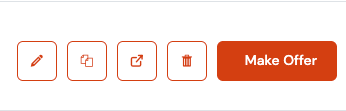
- Pencil icon - Edit the Watchlist (changing the name and removing Listings)
- Copy icon - Create a copy of the Watchlist
- Email icon - Copy the URL of the watchlist for you to share
- Trash can icon - Delete the Watchlist
- Make Offer
Once you create a Watchlist or several of them, you can click on a title and add to your existing Watchlist.
Editing Watchlist
Clicking the pencil icon will open the Watchlist editor.
You can change the name of the Watchlist or remove Listings from the Watchlist by clicking the trash can icon on each of the Poster.
You can also add more listings by clicking "+ Add More" and it will take you to the Listings page, you will be able to add more titles to the Watchlist by clicking "+" on the posters, then scroll down to the bottom to Add to the Watchlist.
Deleting Selection
You can simply delete a Watchlist by clicking the Trash Can icon. Do note that anyone who tries accessing a shared Watchlist in the future will see an error message.