
Screening Rooms are promotional tools for registered users, who have already created Listings. If you haven't registered, nor added a Listing, then please complete these other steps first:
1 - register (for free) at vuulr.com and ensure you have an account approval email before proceeding... :
2- ...to Add a Listing, please refer to this help article here
First of all, you need at least 3 Screeners to start to fill out your own Screening Room. Three makes it look purposeful; one is too sparse… and you might as well save the effort of creating a Room by leaving it as a single listing. You can still share the unique URL for that.
To start:
- Head over to your Organization Profile page (click your avatar in the top right) to complete this first (ignore if done already)
- You'll have added your Listings. Just ensure the ones you wish to feature are set to 'Published'
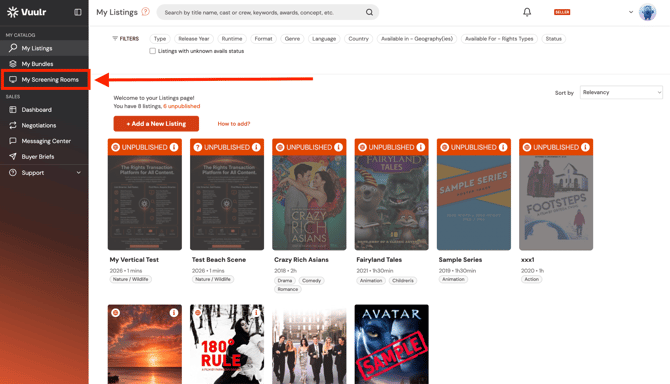
- THEN, click Screening Rooms in the left menu, and “Create New Screening Room” to begin building the Room, and selecting the relevant published Listings
- Once done... Share it*! Enter your Room, scroll down to find the unique link which you click to share to Buyers directly... in an email, a WhatsApp... however you wish!
Remember you can build as many Rooms as you like, perhaps curated by separate themes, genres, or branded IP.
* Please note that in some cases your Screening Room will need to be approved by a Vuulr Admin. We aim to do this without delay.